
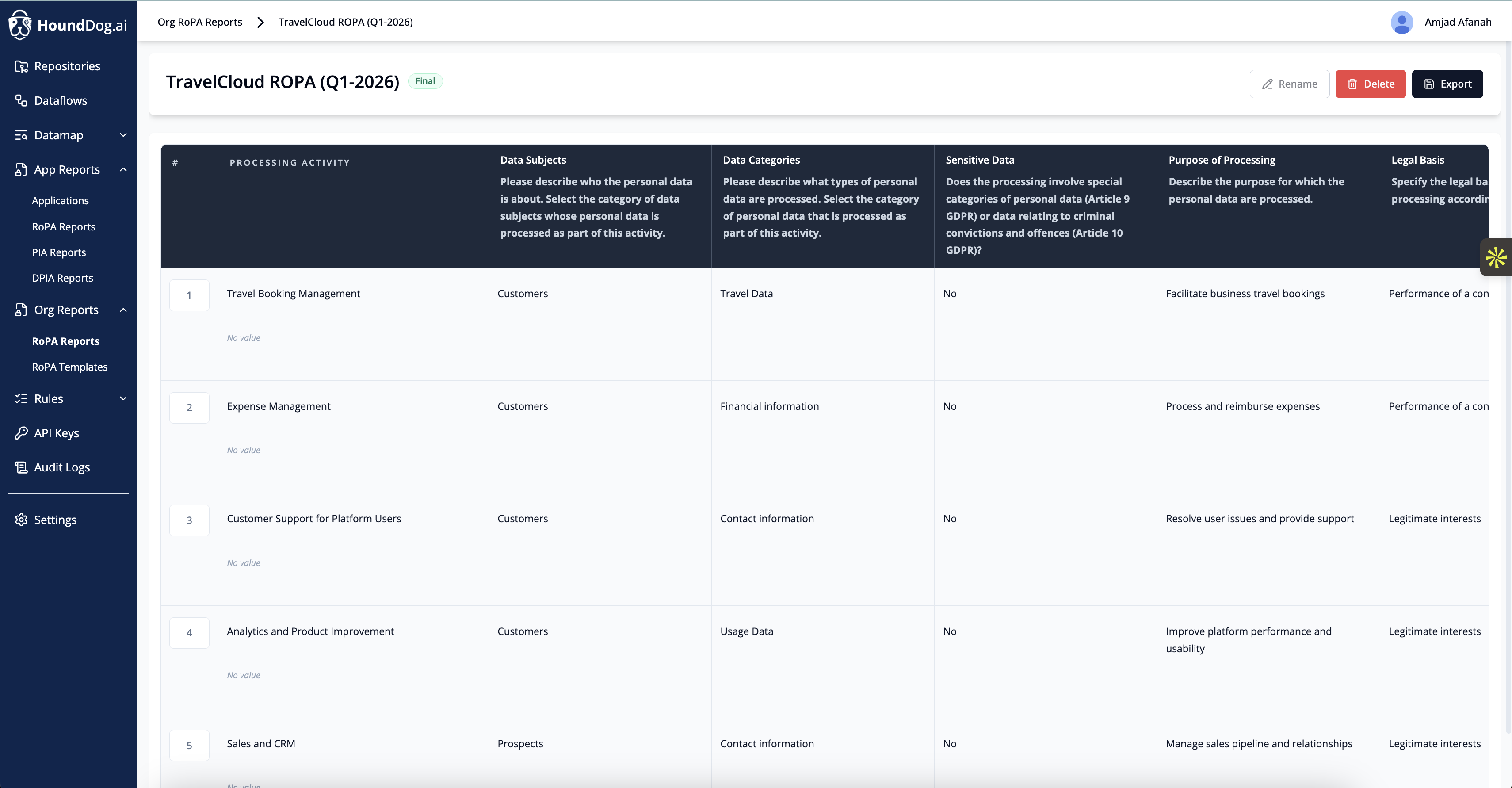
Org Reports provide an organization-wide view of processing activities through the Org RoPA. Unlike App Reports, which are scoped to individual applications, the Org RoPA covers the entire organization, combining automated findings from the privacy code scanner with manually managed processing activities from non-technical departments.
The Problem
Article 30 of the GDPR requires organizations to maintain accurate and up-to-date Records of Processing Activities. In practice, a realistic Org RoPA is not limited to the custom applications and software your engineering team builds. It must also cover processing activities from sales, marketing, customer support, HR, analytics, and other business functions that handle personal data.
Most organizations struggle with two problems:
Application-side processing activities drift out of date as code changes, new integrations are added, and data flows evolve with every release
Non-technical processing activities are managed through spreadsheets or surveys that quickly become stale and disconnected from reality
The Org RoPA solves both.
How It Works
The Org RoPA combines two sources of processing activity data:
Automated Inputs from the Scanner
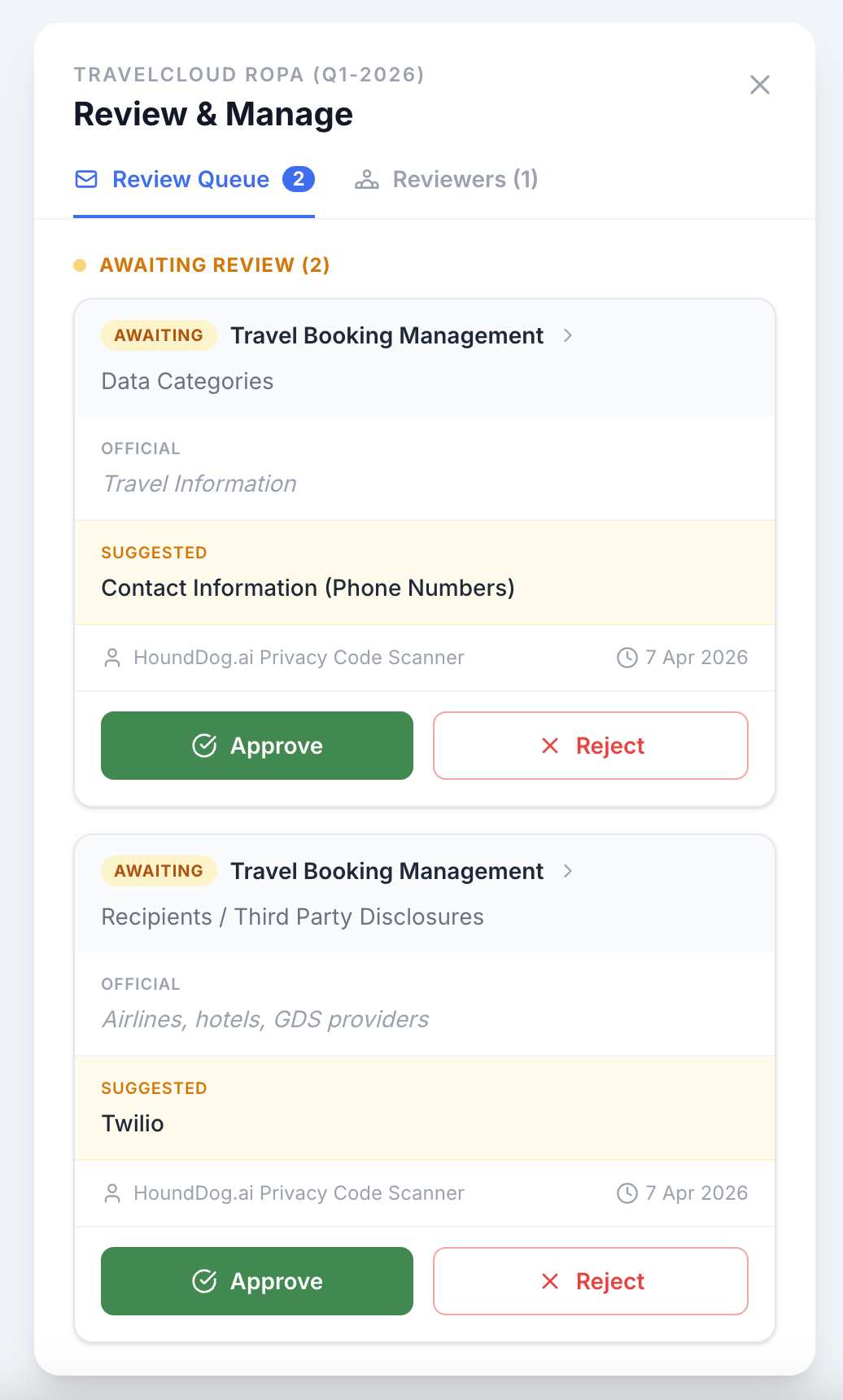
Data flows, data elements, and third-party and AI subprocessors detected across all scanned repositories are automatically surfaced as suggested changes to the Org RoPA. When the scanner detects something new, such as a previously unseen AI integration or a new data element being sent to a third-party SDK, it appears as a pending suggestion rather than being applied automatically.
This means privacy teams stay in control. Every change is reviewed before it becomes part of the official record.
Examples of auto-suggested changes:
A new AI orchestration framework like LangChain is added to a repository, introducing a subprocessor that may not have a DPA in place
A developer adds a new analytics SDK that receives user email addresses
A code update starts logging health records that were previously excluded
A tainted variable carries PII through a chain of transformations to a third-party API
Manual Inputs for Non-Technical Processing Activities
Processing activities that are not captured by code scanning can be added and managed directly in the Org RoPA. This covers departments and functions such as:
Sales: CRM data, prospect information, call recordings
Marketing: Email lists, tracking pixels, advertising platforms
Customer Support: Support tickets, chat logs, customer communication
HR: Employee records, recruitment data, payroll
Analytics: Business intelligence tools, dashboards, reporting platforms
Finance: Payment processing, invoicing, financial records
Each processing activity can be documented with the same level of detail as scanner-detected activities, including data elements processed, data sinks, legal basis, retention periods, and security controls.
DPO Workflow
The Org RoPA includes a built-in workflow designed for Data Protection Officers (DPOs) and privacy leads to manage processing activities across the entire organization.
Send Review Requests
Assign processing activity reviews to team leads or data owners across departments. For example, a DPO can send a review request to the head of marketing asking them to verify or update the processing activities associated with their email marketing platform.
Approve Changes
Review and approve updates submitted by teams or auto-suggested by the scanner. The DPO has full control over what gets applied to the Org RoPA.
Auto-Suggested Changes from the Scanner
When HoundDog.ai detects new data flows, data elements, or AI and third-party subprocessors in scanned applications, these are surfaced as suggested edits. The DPO can:
Review each suggestion with full context, including the repository, data element, data sink, and severity
Approve the suggestion to apply it to the Org RoPA
Reject the suggestion if it's not relevant or has already been accounted for
This is what makes the Org RoPA proactive rather than reactive. Instead of privacy teams discovering a new subprocessor months after it was added in code, the scanner catches it during development and surfaces it immediately.
Track Historical Updates
Every change to the Org RoPA is tracked with a full audit trail, including:
Who made the change
When the change was made
What was changed
Whether the change was manual or auto-suggested by the scanner
This audit trail is essential for demonstrating accountability to regulators and auditors.
Publish RoPAs
Publish finalized versions of the Org RoPA for internal stakeholders, auditors, or regulators. Published versions are timestamped and preserved, so you can always reference what the RoPA looked like at any point in time.
Why This Matters
The Org RoPA bridges the gap between what your code actually does and what your privacy documentation says it does. For the application side, the scanner keeps the record current automatically. For everything else, the DPO workflow ensures that non-technical processing activities are reviewed and updated on a regular cadence.
The result is a single, defensible record of processing activities that covers the entire organization and stays accurate as both code and business processes evolve.
Getting Started
Org Reports are available on the Enterprise plan. Contact your HoundDog.ai account team to enable the Org RoPA for your organization.