
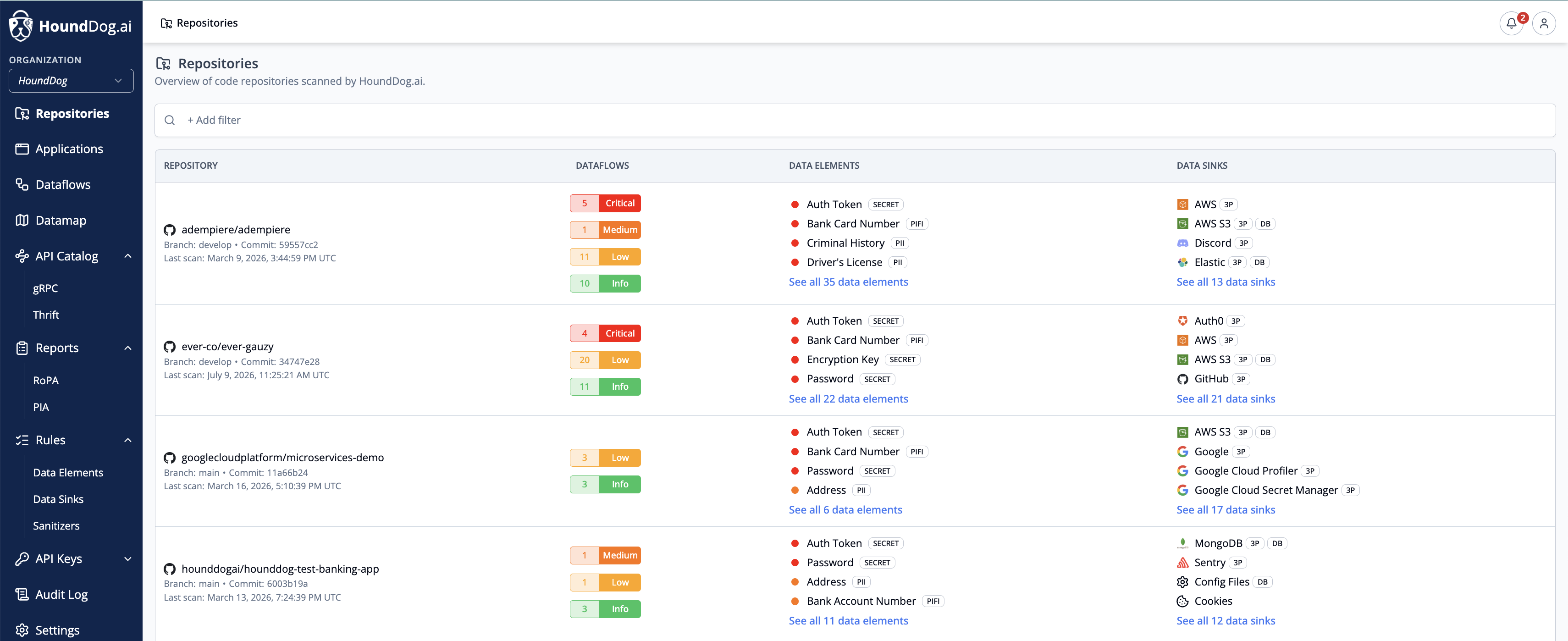
The Repositories page provides an overview of all code repositories scanned by HoundDog.ai. For each repository it shows the detected dataflows grouped by severity, the data elements processed, and the data sinks identified. Click a dataflow count to open the Datamap’s Table: Dataflows view filtered to that repository, branch, and severity, or a repository’s data elements or data sinks to open the matching Datamap table.
Filter the list by Repository (and branch), Application, Data Element, Data Element Sensitivity, Data Element Tag, Data Sink, Data Sink Tag, and Dataflow Severity.
A repository appears on this page after its first scan completes with the HOUNDDOG_API_KEY environment variable set,
whether the scan was triggered from the CLI, a CI pipeline, or a managed scan through
a source control integration.
Repository Detail
Section titled “Repository Detail”Click a repository to open its detail page:
- Source Control — the connected SCM platform and the CI pipeline configured for the repository, if any.
- File Statistics — detected languages with per-language file and line counts, plus a total row.
- Scan History — past scans with their time, branch, and commit, with links out to the branch and commit in source control.
- CI Setup — a separate page, reached from the CI Pipeline row, showing the SCM platform, CI pipeline type, the pull request or commit HoundDog.ai used to set it up, the generated files pushed to source control, and an activity log of the related events.
- Primary Branch — the branch whose scan results are treated as canonical and shown on the Repositories page.
- Ignore File Patterns — gitignore-format patterns excluded from scans, falling back to the organization-level patterns when not set per repository.
- Checkmarx project — the Checkmarx One project associated with this repository, when the Checkmarx integration is enabled. Each repository can be linked to one Checkmarx project.
Deleting a Repository
Section titled “Deleting a Repository”Deleting a repository requires the repository delete permission (Owner or Admin) and is confirmed by typing the repository name. It removes all associated data, including ignored dataflows and data element occurrences. If the repository is scanned again later, it is rediscovered without any previously applied triage state.