
HoundDog.ai automates the two privacy reports most organizations are required to maintain: Records of Processing Activities (RoPA) and Privacy Impact Assessments (PIA). Together they cover privacy documentation required by GDPR (Articles 5, 28, and 32) and other frameworks such as CCPA/CPRA, HIPAA, PCI, GLBA, PIPEDA, APPI, NIST 800-53, ISO/IEC 29100, KSA PDPL, UAE PDPL, and Qatar PDPPL. RoPA reports address GDPR Article 30, and PIAs support the Article 35 DPIA process.
The Problem
Section titled “The Problem”Privacy reports are required by regulation, but keeping them accurate is where most organizations struggle. Development moves fast, new integrations get added in code, and privacy teams are left chasing app owners for updates or filling out templates from memory. The result is reports that drift out of date with every release.
Traditional approaches fall into two buckets. GRC platforms provide blank templates and ask privacy teams to do the heavy lifting manually. Production-focused privacy platforms attempt to infer data flows after applications are live, but miss shadow AI and third-party integrations added directly in code.
How HoundDog.ai Approaches Privacy Reporting
Section titled “How HoundDog.ai Approaches Privacy Reporting”The privacy code scanner detects sensitive dataflows, data elements, and third-party and AI subprocessors directly from source code, and uses these findings to automatically populate the reports. The hardest part of any RoPA or PIA — accurately documenting how data is collected, processed, and shared — is handled by the scanner rather than by surveys, interviews, and stale spreadsheets.
RoPA vs. PIA
Section titled “RoPA vs. PIA”| RoPA | PIA | |
|---|---|---|
| Scope | Organization-wide record of processing activities | A single application |
| Format | Spreadsheet-style editor with configurable columns | Four-step guided wizard |
| Data source | Scanner findings plus manually managed activities from non-technical departments (sales, marketing, HR, support); AI-assisted import from existing spreadsheets | Datamap and risks auto-populated from the application’s repositories |
| Workflow | DPO workflow with review invitations, version history, and draft/final status | Self-guided form with draft/final publish and version history |
| Output | Maintained record with full history — GDPR Article 30 compliance across the organization | PDF export for the privacy review of an application or feature before release |
There is no separate DPIA report type: the PIA’s summary step computes an “Is DPIA Required?” recommendation based on the assessed risk profile.
RoPA Reports
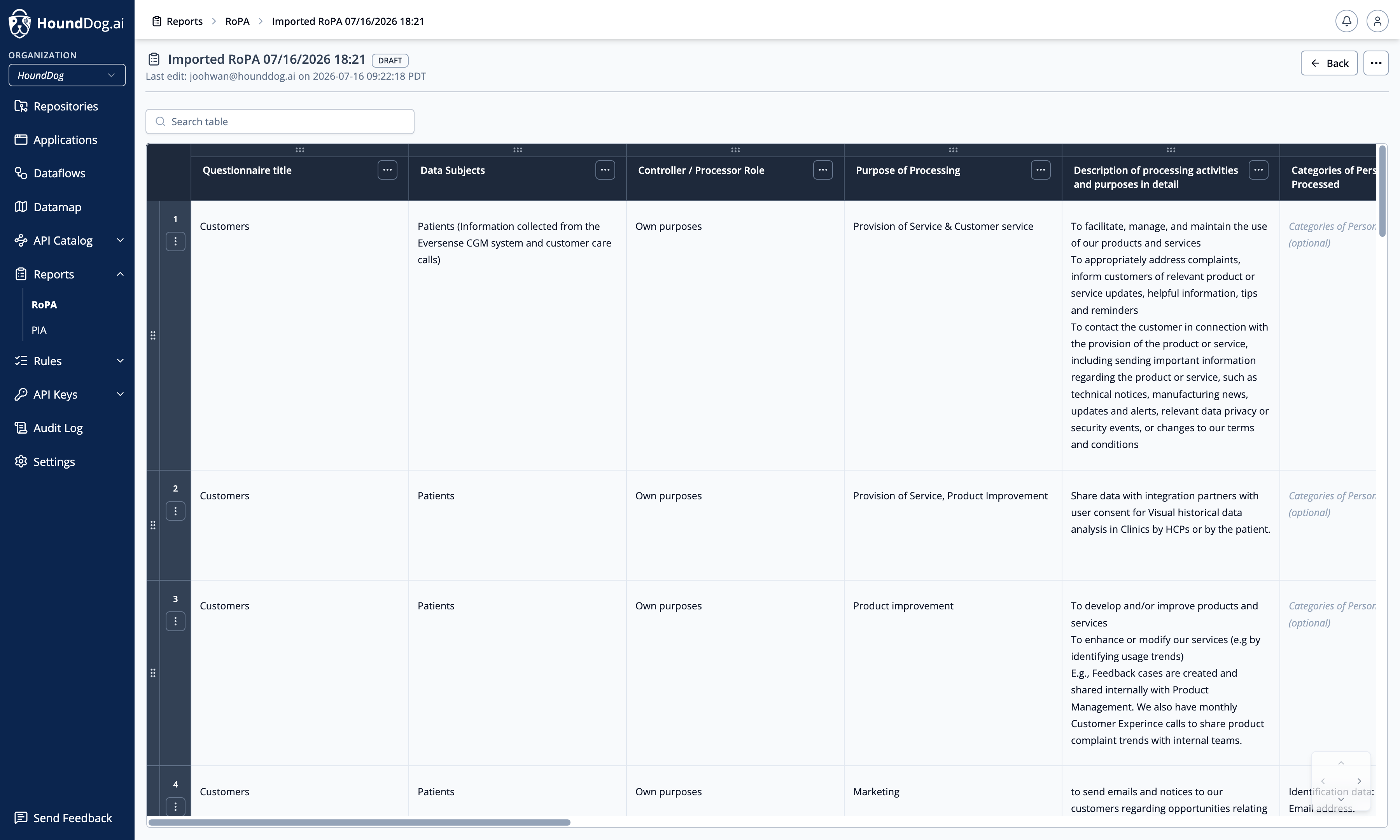
Section titled “RoPA Reports”RoPA reports document your organization’s Records of Processing Activities as required by GDPR Article 30. A RoPA in HoundDog.ai is a spreadsheet-style report: rows are processing activities, and columns capture the details regulators expect. Application-side activities can be grounded in scanner findings, while activities from non-technical departments — sales, marketing, HR, support — are managed in the same report.
Default Columns
Section titled “Default Columns”New reports start with 18 columns. Columns are configurable per report, and each column has an input type (free text, single-select, or multi-select):
- Processing Activity
- Department
- Data Subjects
- Controller / Processor Role
- Purpose of Processing
- Categories of Personal Data Processed
- Article 6 Lawful Basis for Processing Personal Data
- Special Categories of Data Processed
- Article 9 Basis for Processing Special Category of Data
- Recipients / Third Party Disclosures
- Retention Period
- Data Transfers Outside EEA (Yes/No)
- Legal Basis for International Transfers
- Names of Countries Where Data is Transferred
- Technical & Organizational Measures
- Data Source
- Automated Decision Making
- DPIA Required
Editor
Section titled “Editor”The report opens in a spreadsheet-style editor with column pinning, search (with match-case and whole-word options), and cell-level change highlighting. Reports can be duplicated to use an existing report as a template, and exported for sharing outside the platform.
Importing an Existing RoPA
Section titled “Importing an Existing RoPA”If you already maintain a RoPA in a spreadsheet, import it directly: supported formats are .csv, .xls, .xlsx, and
.xlsm, and multiple files can be imported at once. When importing into an existing report you choose whether to map
data into the report’s existing columns or add new columns. Spreadsheet import requires AI RoPA import to be enabled
in AI Integration — the Import action is hidden when it is off. While an import is running
the report shows the importing status, and import failed if it could not be processed.
Statuses
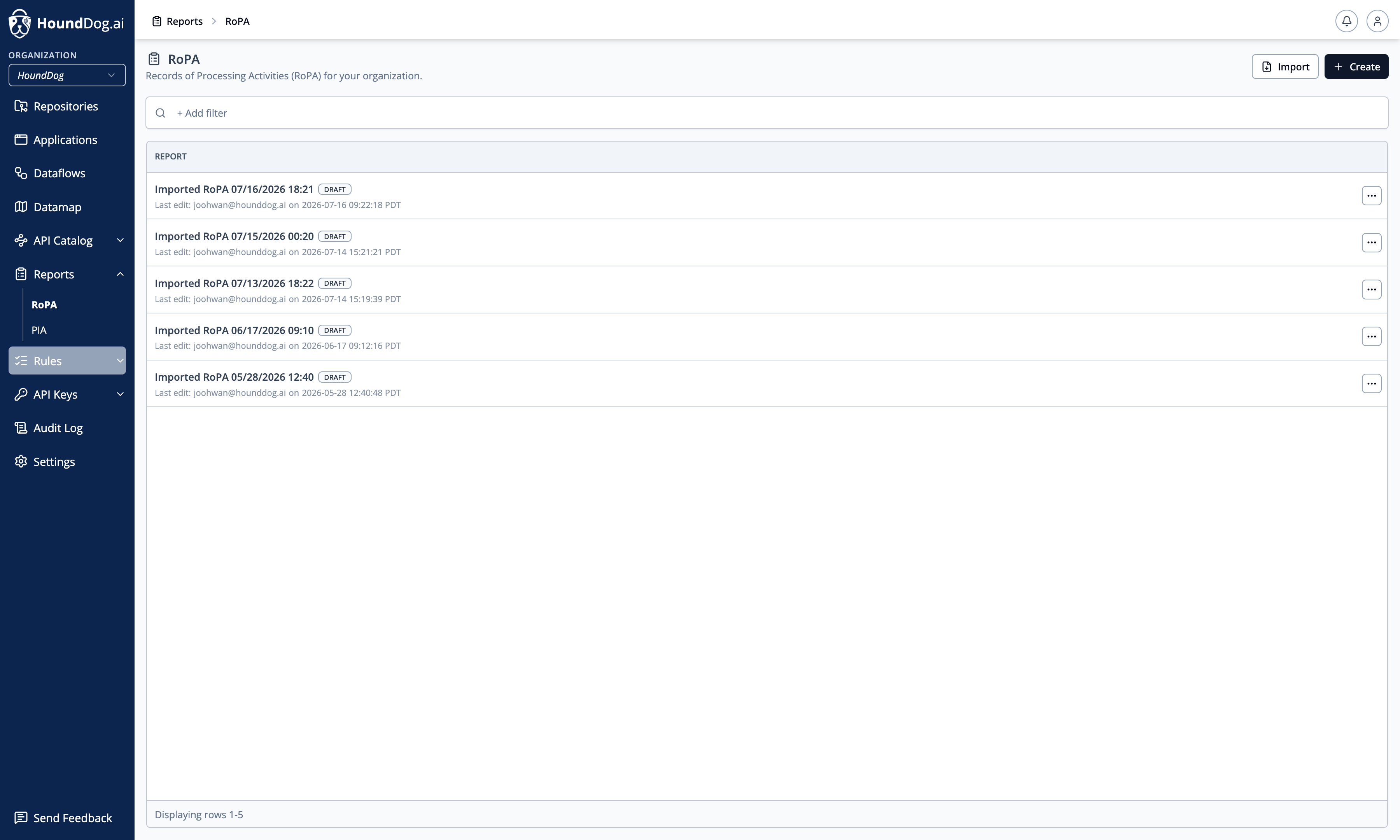
Section titled “Statuses”| Status | Meaning |
|---|---|
| Importing | A spreadsheet import is in progress. |
| Import failed | The last import could not be processed. |
| Draft | The report is being edited. |
| Final | The report has been finalized. |
Reviews
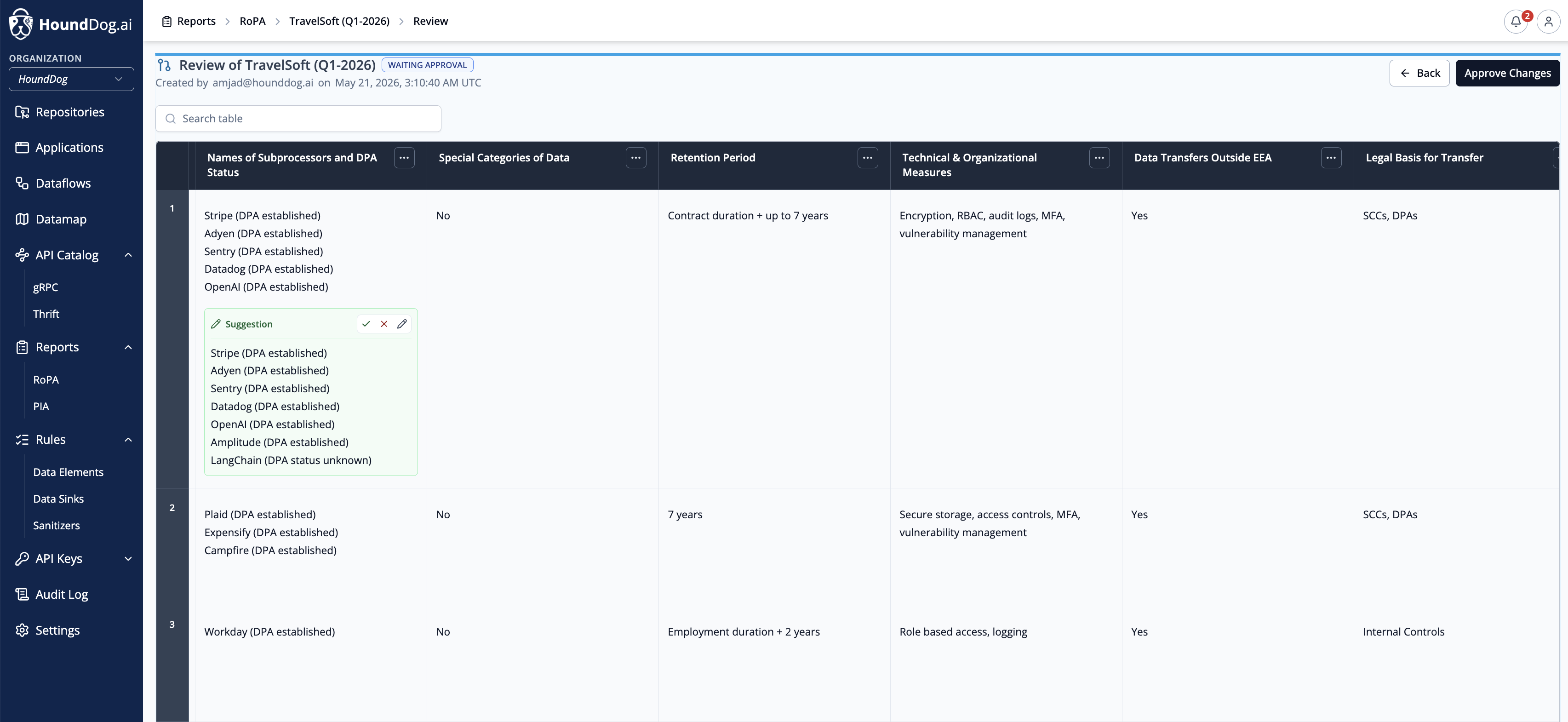
Section titled “Reviews”Invite reviewers by email to verify the report’s contents — for example, asking a department lead to confirm their team’s processing activities. Each review tracks its status (invited, pending, reviewed), giving DPOs an auditable review trail.
Version History
Section titled “Version History”Every saved version of a report is preserved. Open the report’s history to compare versions and restore a previous one.
PIA Reports
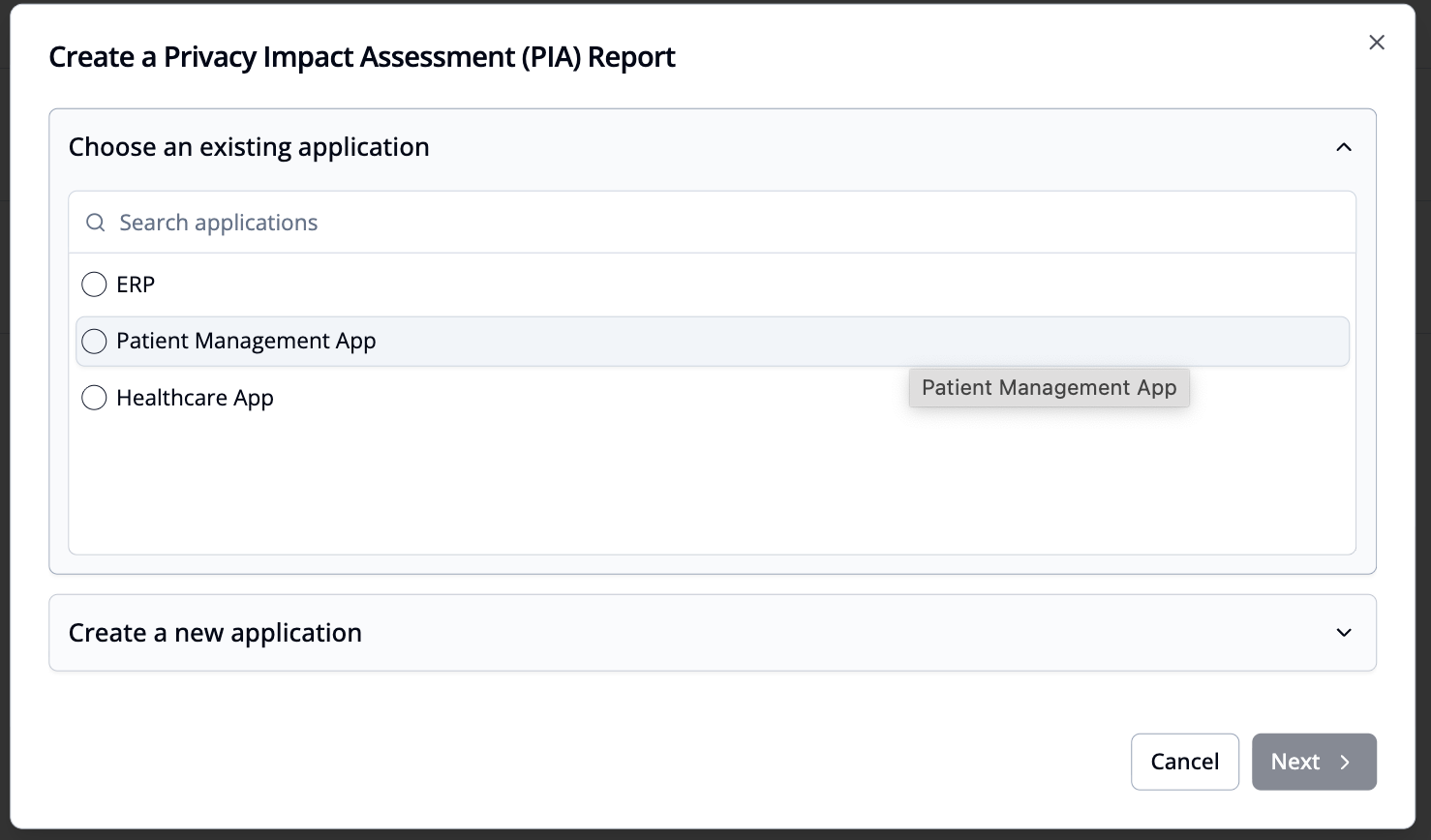
Section titled “PIA Reports”PIA reports evaluate the privacy risks of a specific application. The report is built in a four-step guided wizard, with the application’s datamap and detected risks pre-populated from scan results, so the assessment reflects what the code actually does.
The Four Steps
Section titled “The Four Steps”- Application — select the application and document the processing context. Fields include: Application Description, Business Unit / Team, Purpose of Processing, Personal Data Categories, Data Storage Locations, Data Subject Categories, Data Sources, Security Measures, Retention Duration, Retention Justification, Data Erasure Method, Role in Processing, Legal Basis for Processing (GDPR Article 6), International Data Transfers, and Automated Decision-Making.
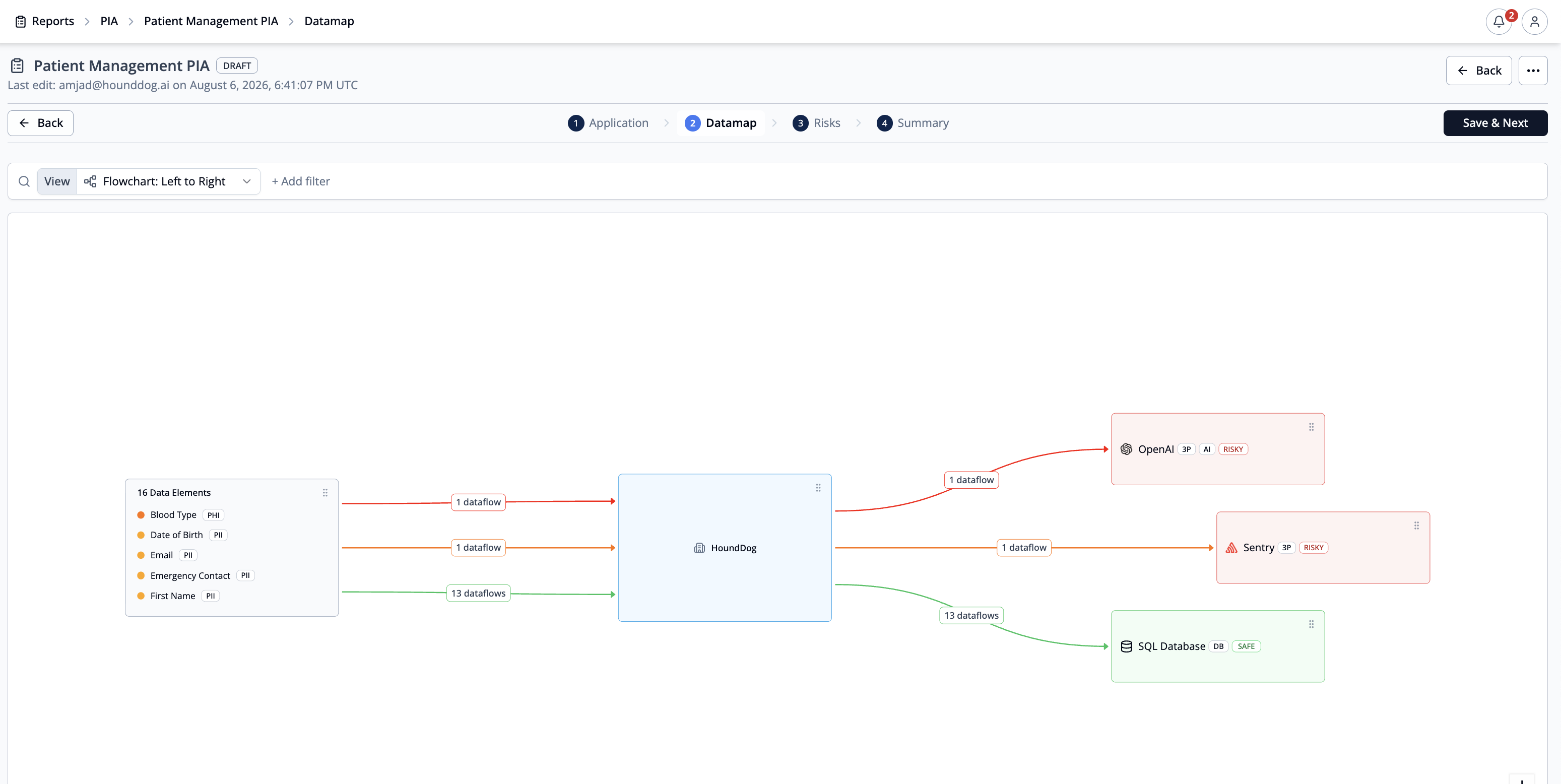
- Datamap — review the application’s sensitive dataflows, auto-populated from the scanner results of the application’s repositories.
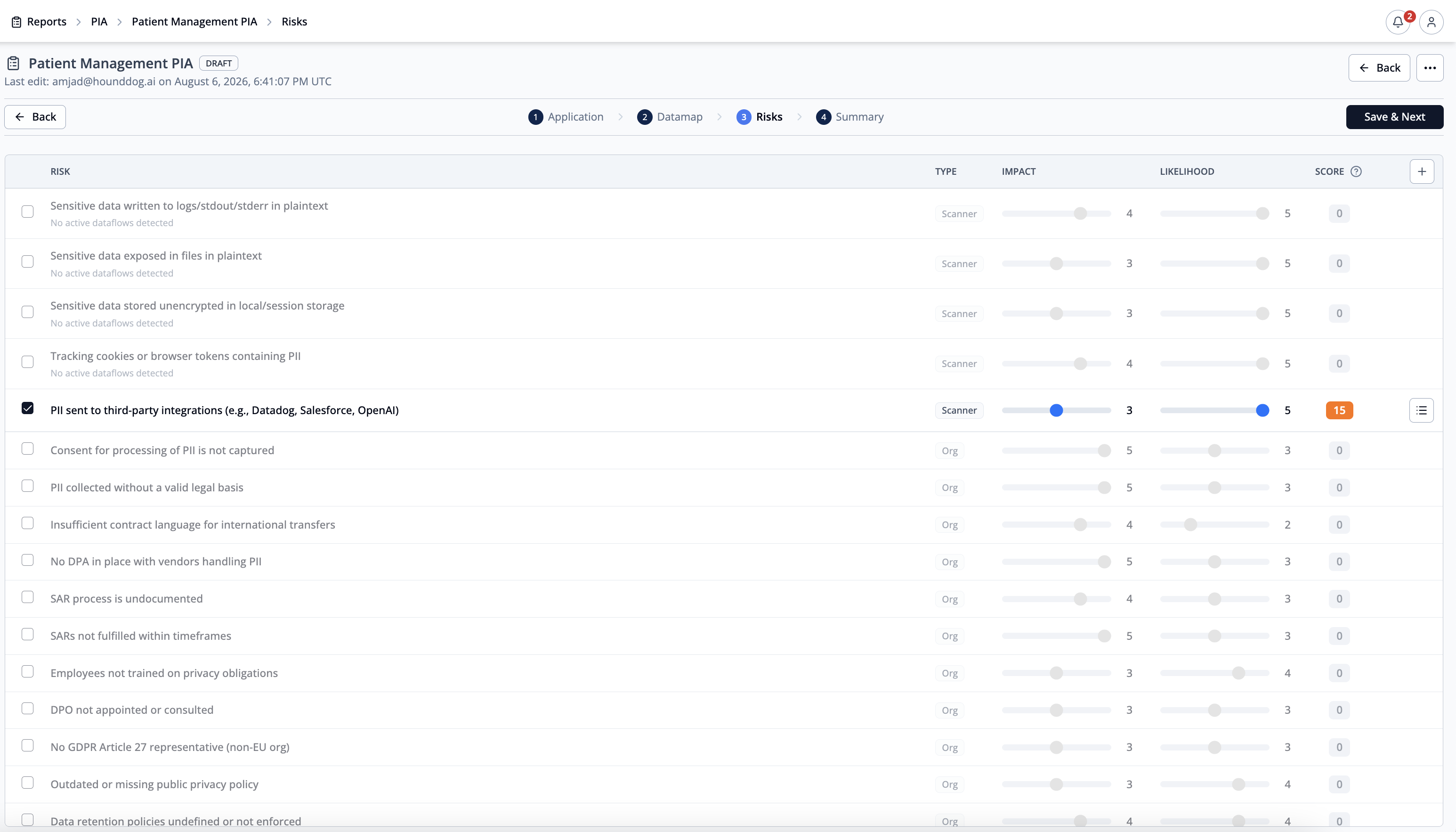
- Risks — review the privacy risks detected by the scanner (for example, sensitive data exposed in logs in plaintext, or personal data shared with third-party SDKs or AI integrations), work through a checklist of common organizational risks (missing DPAs, an undocumented SAR process, no breach response plan, and similar), adjust impact and likelihood scores, and add custom risks of your own.
- Summary — review the completed assessment, including the computed “Is DPIA Required?” recommendation, which indicates whether the current risk profile calls for a Data Protection Impact Assessment.
Publishing and Export
Section titled “Publishing and Export”- Save the report as a draft and continue editing later, or publish it as final (publishing can be undone).
- Download the finished report as a PDF for regulators, auditors, and internal stakeholders.
- Duplicate a report to use it as a template for another application.
- Every saved version is kept in the report’s version history and can be restored.