App Reports allow privacy teams to generate Records of Processing Activities (RoPA), Privacy Impact Assessments (PIA), and Data Protection Impact Assessments (DPIA) for individual applications. Each report is pre-populated with data flows and privacy risks detected by HoundDog.ai's code scanner, replacing the manual data collection process with code-level evidence.
Getting Started
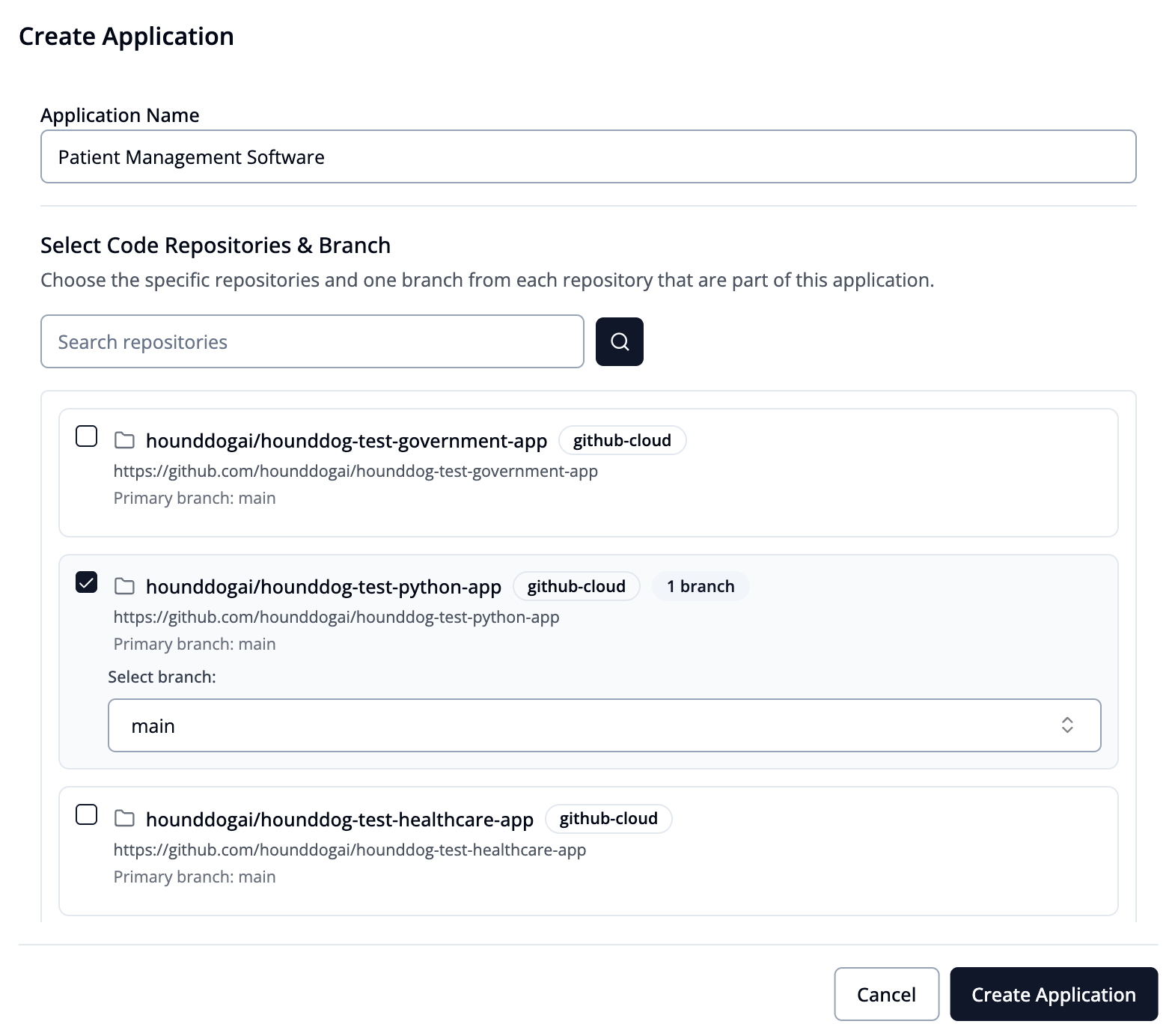
To get started, first create an Application, which can consist of one or multiple code repositories. For example, if an application is made up of three repositories — one for the backend, one for the frontend, and another for the authentication service - you can select all three to get a comprehensive view of all data flows within that application.
Records of Processing Activities (RoPA)
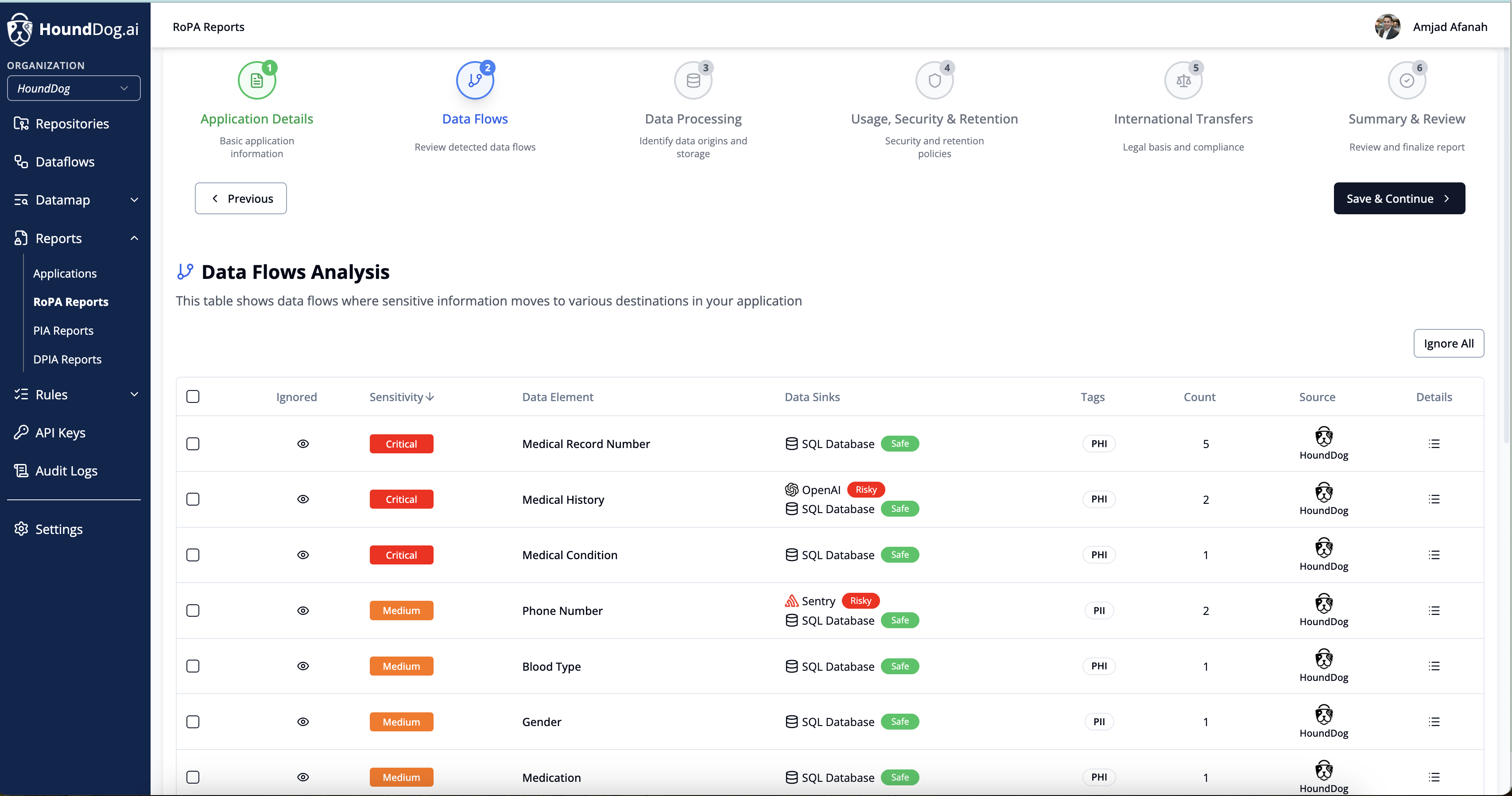
Click Create New RoPA Report to start a self-guided workflow that walks you through each section of the report:
Legal basis for processing: Document the lawful basis under which personal data is processed
Organization's role: Specify whether your organization acts as a data controller, processor, or joint controller
Security controls: Describe the technical and organizational measures in place to protect personal data
Data retention policy: Define how long personal data is retained and the criteria for determining retention periods
Data flows (auto-populated): This section is automatically populated by HoundDog.ai's scanner, showing how sensitive data moves through the application across functions, APIs, third-party services, and AI integrations
The data flows section is arguably the hardest aspect of privacy compliance, especially when development moves quickly and privacy platforms miss hidden data flows to AI and third-party integrations. HoundDog.ai handles this automatically.
Privacy Impact Assessment (PIA)
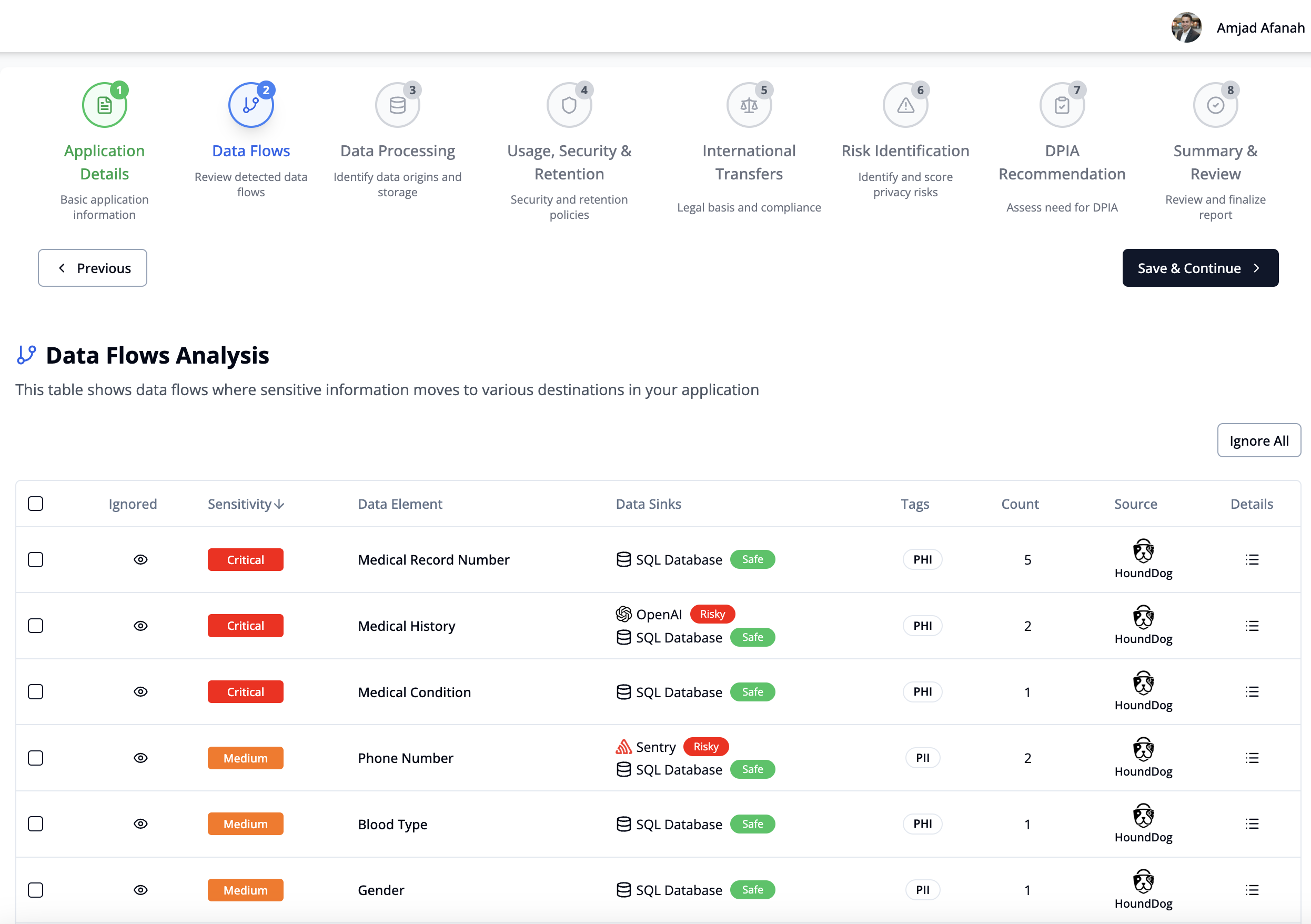
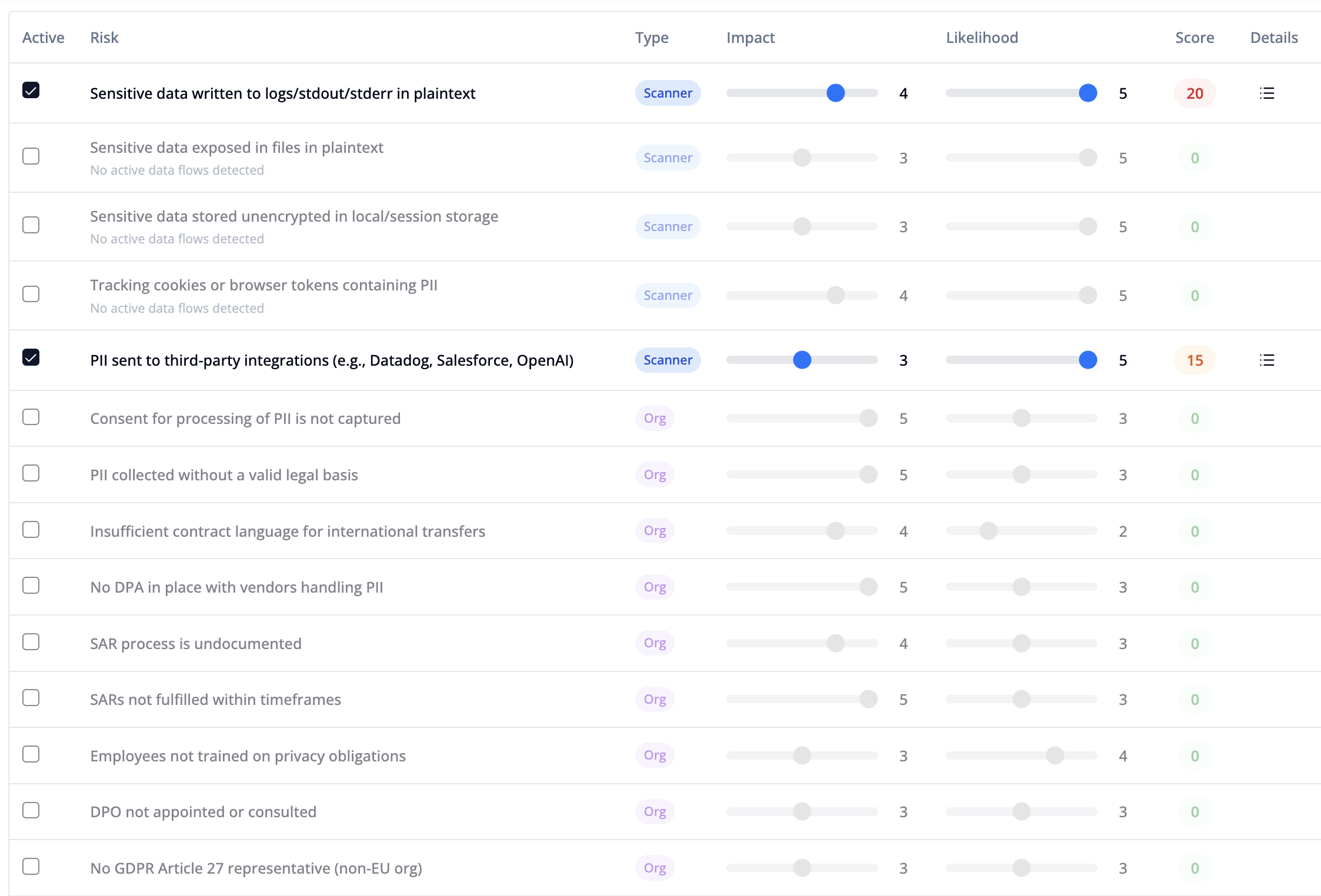
Click Create New PIA Report to start a self-guided workflow. PIA overlaps with RoPA but adds a privacy risks section for evaluating and scoring the risks associated with the application's data processing activities.
Auto-Populated Privacy Risks
Privacy risks detected by the HoundDog.ai scanner are automatically prefilled, giving you visibility into issues such as:
Sensitive data exposed in logs in plaintext
Sensitive data stored in local storage or cookies
Personal data shared with third-party SDKs or AI integrations
Data flows that may not align with existing Data Processing Agreements
Customization
You can customize every aspect of the PIA:
Adjust risk scores: Modify the impact and likelihood scores for each detected risk
Add custom risks: Add risks that are not detected by the scanner but relevant to your assessment
Edit all sections: Legal basis, purpose of processing, retention periods, security controls, and any other fields
Save as draft: Save your progress and continue editing later
Duplicate reports: Use an existing report as a template for a new application
DPIA Recommendation
Based on the overall score of detected and declared risks, the report provides a recommendation on whether to proceed with a Data Protection Impact Assessment (DPIA). If a DPIA is recommended, privacy teams can use the same workflow to conduct a deeper assessment.
Dashboard
The privacy reports page provides a centralized view of all App Reports across the organization:
All RoPA and PIA reports with their current status
The application and repositories associated with each report
Quick actions to edit, duplicate, or delete reports
Export
At the end of both RoPA and PIA workflows, reports can be downloaded in PDF format for regulators, auditors, and internal stakeholders.
Compliance Framework Support
App Reports can be aligned with the following frameworks:
GDPR (Articles 5, 28, 30, 35)
CCPA/CPRA
HIPAA
PCI
GLBA
PIPEDA
APPI
NIST 800-53
ISO/IEC 29100
KSA PDPL
UAE PDPL
Qatar PDPPL
Getting Started
App Reports are available on the Enterprise plan. To create your first report, navigate to the Privacy Reports page in the cloud platform and create an Application.