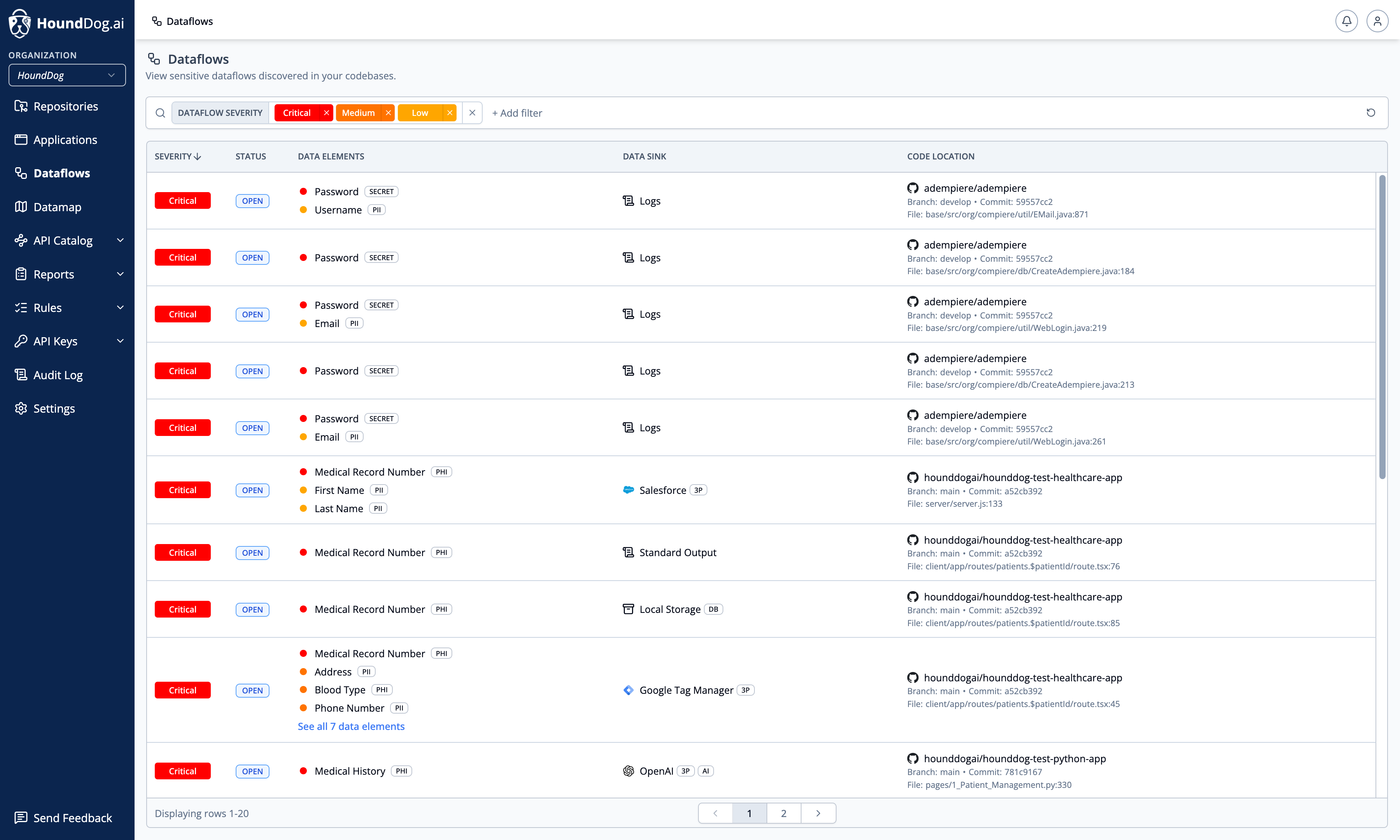
The Dataflows page lists the sensitive dataflows detected by the HoundDog.ai code scanner — how data elements move from your applications into data sinks such as logs, files, databases, third-party services, and AI integrations. This creates code-level evidence of processing activities and keeps privacy reports such as RoPA up to date.
Risky dataflows are rarely intentional. They tend to emerge as codebases grow: a developer prints a full user object for debugging, or a tainted variable carries PII through multiple transformations. By the time anyone notices, the data may already be logged or sent to a third party.
Each dataflow is assigned a severity of Critical, Medium, Low, or Info. Severity is derived from the sensitivity of the data elements involved (customizable under Data Elements) and the destination sink, including any allowlists configured under Data Sinks.
Filtering and Status
Section titled “Filtering and Status”The list defaults to open dataflows sorted by severity. Filter by Repository (and branch), Application, Data Element, Data Element Sensitivity, Data Element Tag, Data Sink, Data Sink Tag, Dataflow Severity, Dataflow Status, Filename, gRPC Service, and Thrift Service:
| Status | Meaning |
|---|---|
| Open | Detected and awaiting triage or remediation. |
| Closed | No longer detected — typically after the offending code is fixed or removed. |
| Ignored | Manually dismissed with a reason: false positive or risk acceptable. |
Dataflow Detail
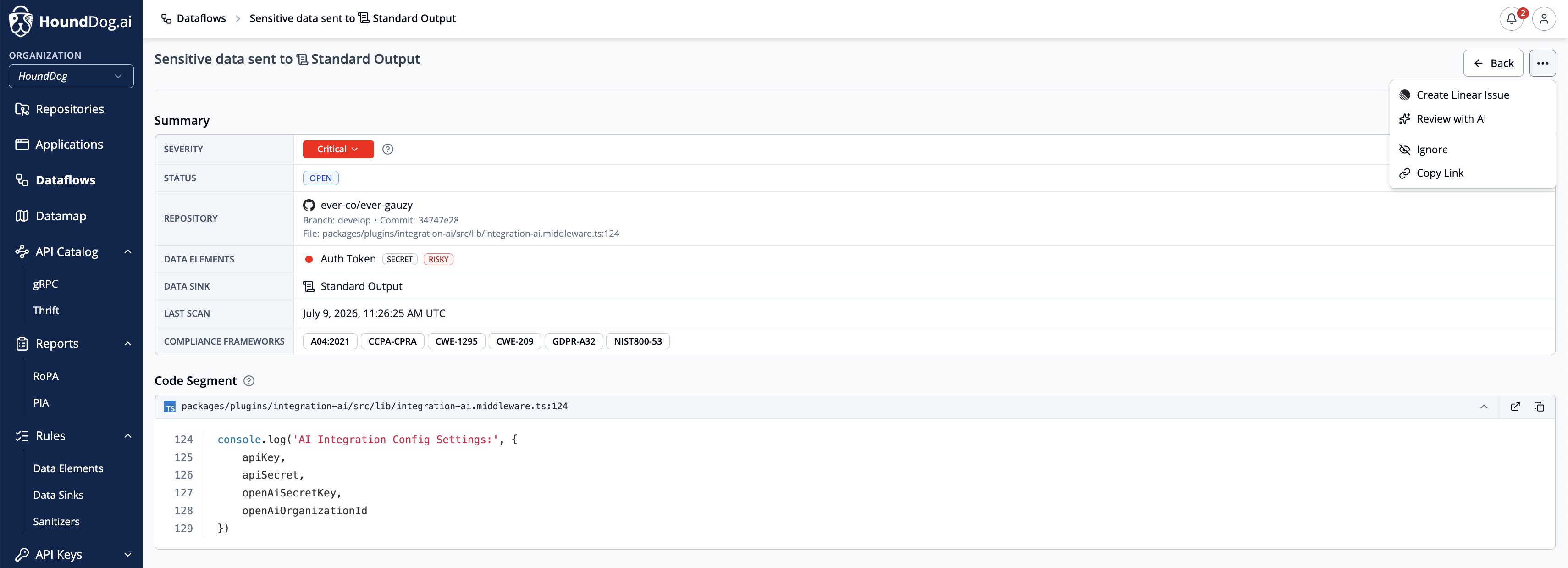
Section titled “Dataflow Detail”Click a dataflow to drill down into:
- Severity, status, and last scan date
- Repository and branch
- Associated compliance frameworks (for example GDPR, CCPA/CPRA, HIPAA, NIST 800-53, and CWE/OWASP identifiers)
- The data sink receiving the data, and every data element exposed to it. For flows into the
grpcorthriftsinks, the resolved service name is shown alongside the sink and links to its API Catalog entry - Code snippets and file locations
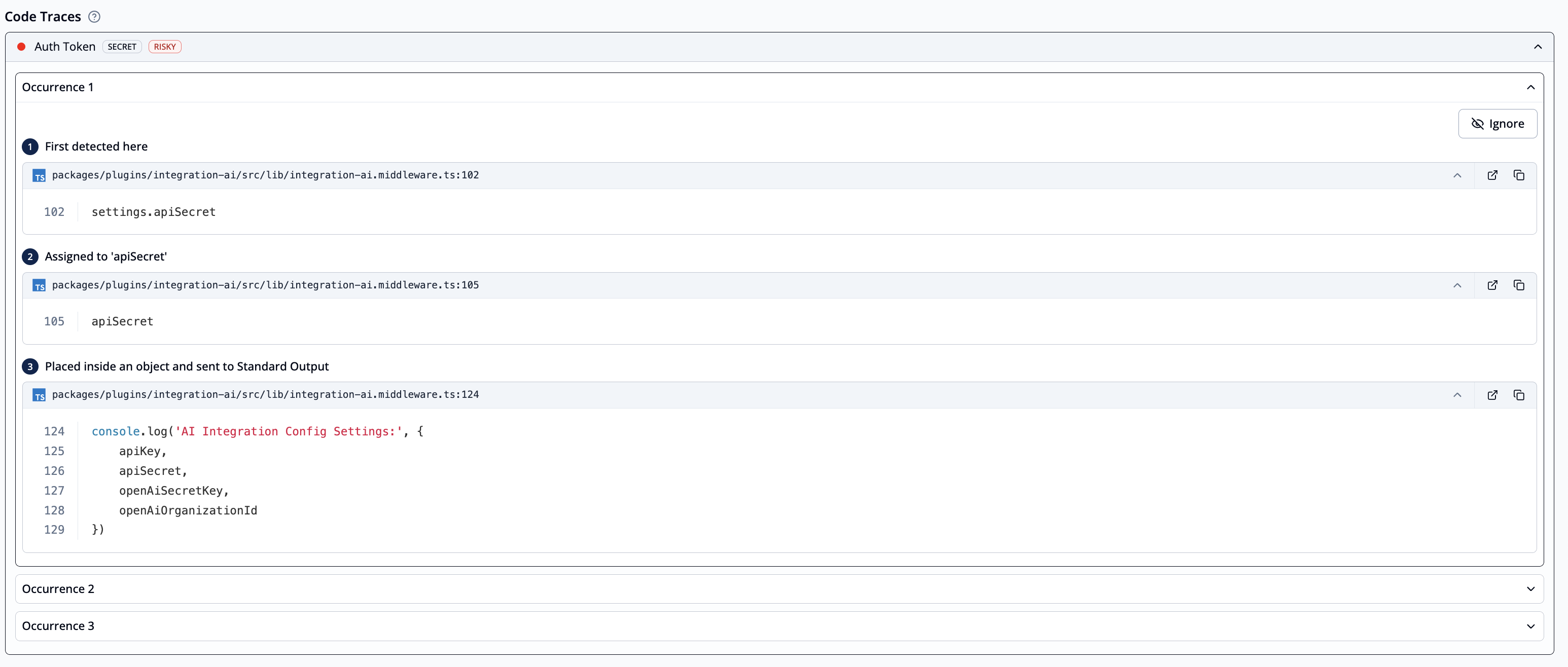
- Step-by-step traces showing each transformation the data passes through — including tainted variables crossing file boundaries — from source to sink
- Remediation guidance
- A severity rationale explaining the assigned severity when the dataflow has been reviewed by AI
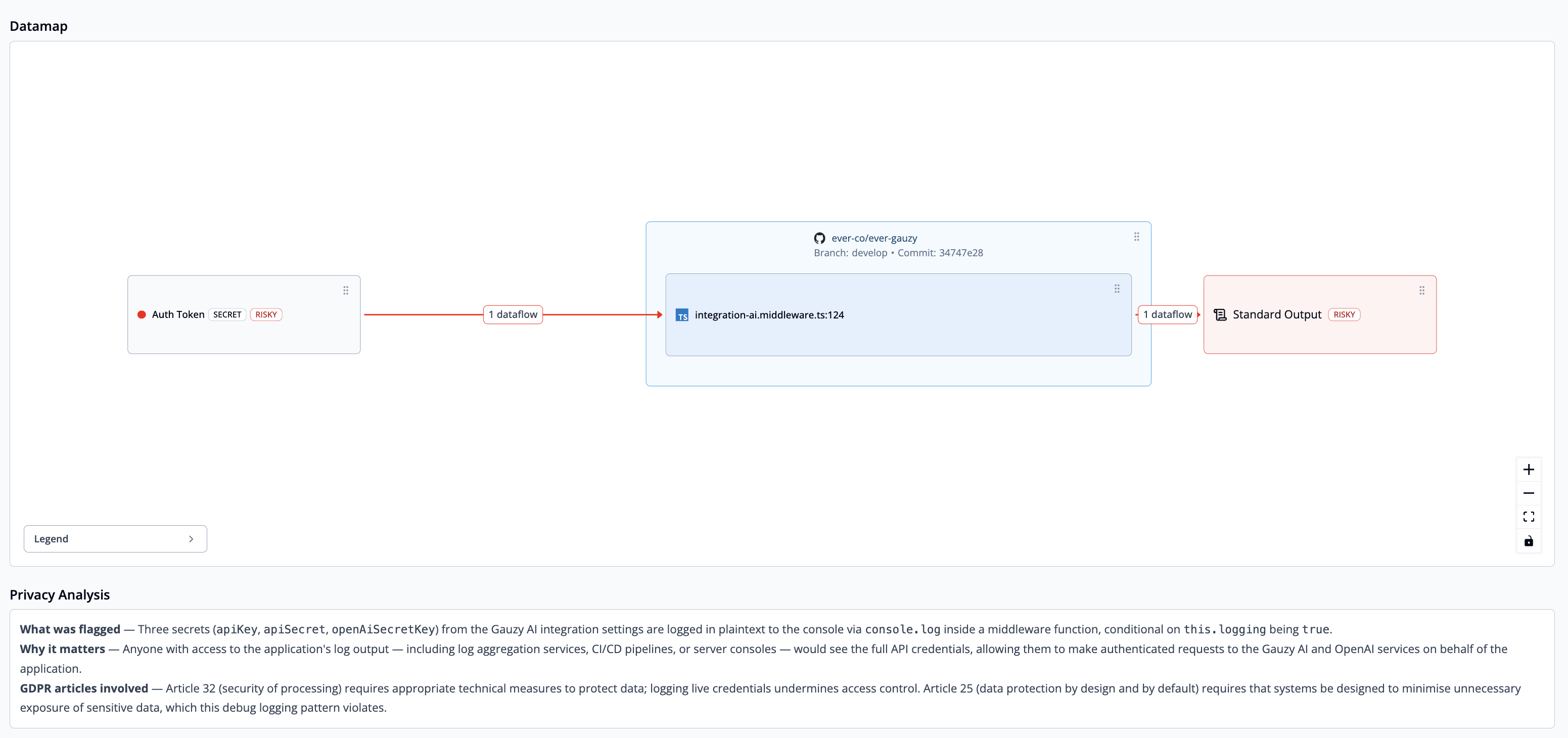
- A Privacy Analysis section with the AI-generated privacy and security assessment, shown after an AI review
- A visualization of the flow
AI Powered Privacy Analysis (Optional, Recommended)
Section titled “AI Powered Privacy Analysis (Optional, Recommended)”If AI analysis is enabled, the deterministic dataflow findings produced by the scanner are automatically reviewed to mark false positives as Ignored, adjust severities based on context, and generate detailed privacy analysis. AI analyzes only the dataflow traces already identified by the static scanner. Organizations bring their own API key for AWS Bedrock, Anthropic, OpenAI, Google Gemini, or Microsoft Foundry, allowing existing DPAs and contractual terms with the chosen AI provider to remain in effect, while scans continue running in your CI environment on standard CPU infrastructure with negligible impact on pipeline time. See AI Integration for setup details.
Actions
Section titled “Actions”- Ignore / Unignore — ignore a dataflow with a reason (False Positive or Risk Acceptable) plus optional details, or unignore it to restore its previous state. Dataflows move to Closed automatically when a later scan no longer detects them; there is no manual close action. Ignoring individual data elements is also possible: remaining unignored elements continue to be reported and severity adjusts accordingly.
- Change severity — users with the dataflow update permission can override the assigned severity from the dataflow detail page. A manual override sticks: later scans no longer recompute the severity for that dataflow. Clearing the override restores the scanner-derived severity.
- Review with AI — sends the dataflow’s code and traces to your organization’s configured AI integration. The review may change the dataflow’s severity or mark it as a false positive, and records its rationale on the dataflow. Available only on Open dataflows, and only when no review is already running.
- Create Jira Issue — requires the Jira integration; choose the Project and Issue Type, and edit Priority, Summary, and Description before filing.
- Create Linear Issue — requires the Linear integration; choose the Team and optionally an Assignee, and edit Priority, Title, and Description before filing.