
The HoundDog.ai Cloud Platform provides role-based access control with three roles assignable in the UI:
| Role | Capabilities |
|---|---|
| Owner | The organization’s superusers, with full access to everything including settings, integrations, scan rules, and user management. Each organization has at least one Owner. Only Owners can grant the Owner role, change an Owner’s role, remove an Owner, or reset an Owner’s password. |
| Admin | Same permissions as Owner. Admins can invite, re-role, and remove Admins and Members, but cannot act on Owners or grant the Owner role. |
| Member | Read access to findings data — repositories, applications, dataflows, occurrences, the datamap, and scan rules — plus triage: updating dataflow and occurrence statuses, creating Jira and Linear issues, and editing RoPA reports and reviews. Members can also create and revoke organization API keys. Members cannot view the audit log, view other users, or read or change any settings, and cannot create or modify scan rules. |
Three additional scan-focused roles — Developer, Test, and IDE — share a read-only permission set scoped to scanning. They are not offered in the UI, but an Owner can assign them through the API.
Each RoPA report also has its own per-report access role: the user who created the report is its owner, managing it and sending review requests, and everyone else with RoPA access is a reviewer. Because Members cannot create RoPA reports, they are always reviewers.
Managing Users
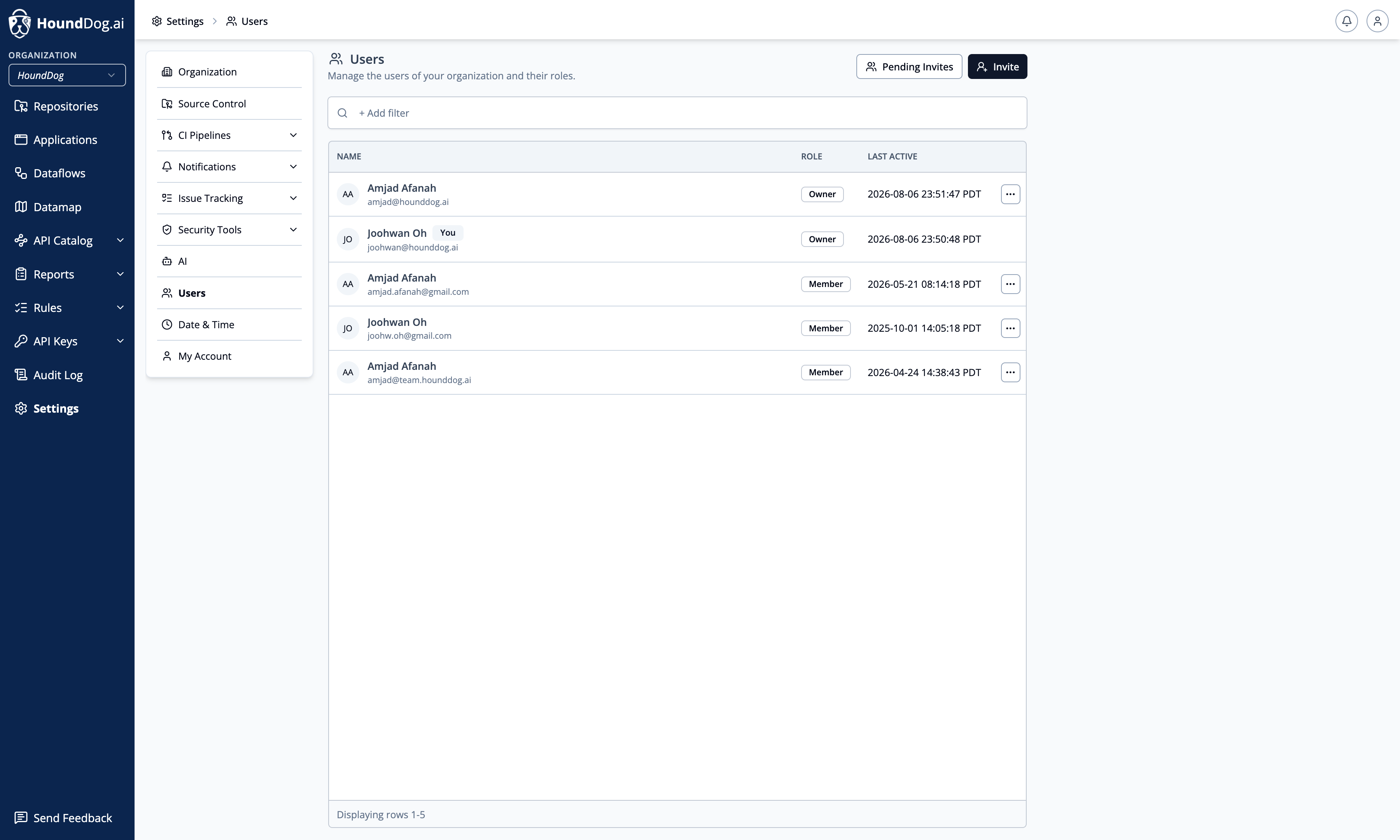
Section titled “Managing Users”Manage your organization’s users under Settings → Users.
- Invite users by email, choosing their role at invite time. Owners can assign any role; Admins can invite Admins and Members.
- Pending invites — invitations that have been sent but not yet accepted can be reviewed and revoked.
- Change roles and remove users — subject to your own role’s permissions as described above.
In self-hosted deployments there is no email delivery, so invitations are disabled. Instead, an Add User action creates the user directly and returns a one-time temporary password, and a Reset Password row action issues a new one.
Scanner and CI Access
Section titled “Scanner and CI Access”Organization API keys authenticate as a synthetic member with no user-level permissions — enough to download scan rules and upload scan results, and nothing else.
Personal API keys act with the full permissions of the user who created them, so a key created by an Owner or Admin can perform any action that user can. Use organization API keys for CI pipelines. See API Keys.