
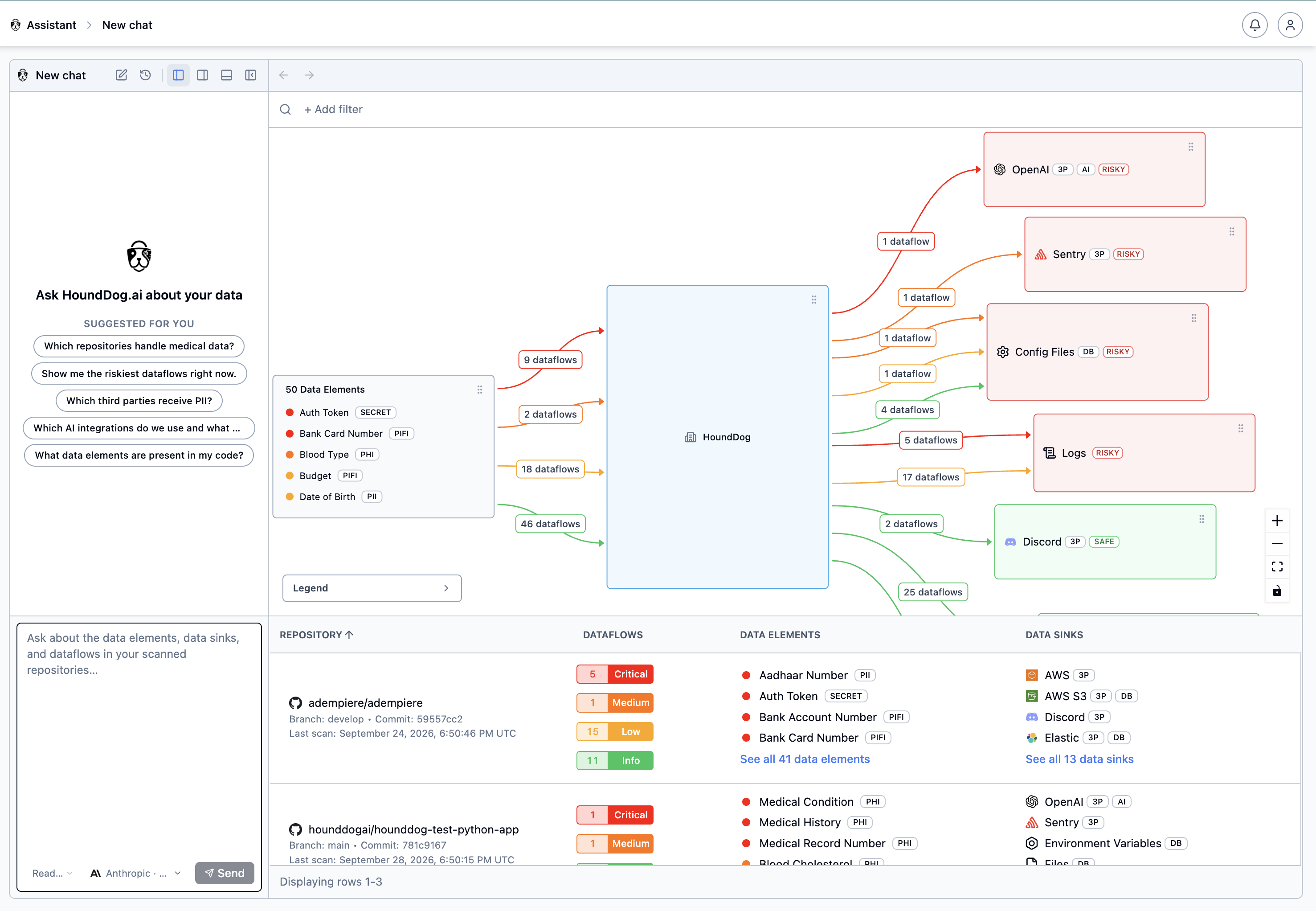
The Assistant lets you explore your organization’s datamap by asking questions in plain English. Instead of building filters by hand, ask where sensitive data goes and the Assistant searches your dataflows, then answers in chat and opens the matching, pre-filtered Datamap view next to the conversation.
Typical questions come from different teams:
- An AppSec engineer asks where auth tokens are leaking in plaintext into application logs.
- A privacy engineer asks which third-party integrations receive PII.
- An AI governance team asks which AI integrations exist and what sensitive data reaches them.
How It Works
Section titled “How It Works”The scanner stays deterministic: it discovers the sensitive data flows in your code, and the datamap is built from those results. The Assistant adds a natural-language interface on top of that evidence: its answers are grounded in the dataflows already in your datamap, not in new detections.
On the Cloud Platform, the Assistant runs on the HoundDog.ai-managed model out of the box. Cloud and self-hosted organizations can also connect their own AI provider and API key, in which case each question, along with the datamap data needed to answer it, is sent directly to that provider under the DPA and terms your organization holds with it. See AI Integration for the data AI features send.
Enabling the Assistant
Section titled “Enabling the Assistant”- Make sure an AI integration is Active under Settings → AI. On the Cloud Platform, the HoundDog.ai-managed integration is active by default. To use your own provider instead — Anthropic, AWS Bedrock, Google Gemini, Microsoft Azure OpenAI, or OpenAI — add it and mark it Active. See Provider Integrations.
- Turn on the Enable AI Assistant toggle on the same page.
Once enabled, Assistant appears in the main navigation. On a Self-Hosted Platform there is no managed model, so adding your own provider integration is required.
Asking Questions
Section titled “Asking Questions”Open Assistant and type a question in the prompt box, or start from one of the suggestions shown on an empty chat, such as:
- Which repositories handle medical data?
- Show me the riskiest dataflows right now.
- Which third parties receive PII?
- What data elements are present in my code?
A model selector below the prompt box shows which provider and model answer the question.
For example, asking “Which third-party and AI integrations have confirmed sensitive data flows?” makes the Assistant search the datamap and reply with the matching integrations, the sensitive data elements involved, the repositories, and whether each flow reaches a sink marked safe or risky. It then opens the filtered Data Sinks view so you can inspect the same results in the Datamap’s flowchart and table.
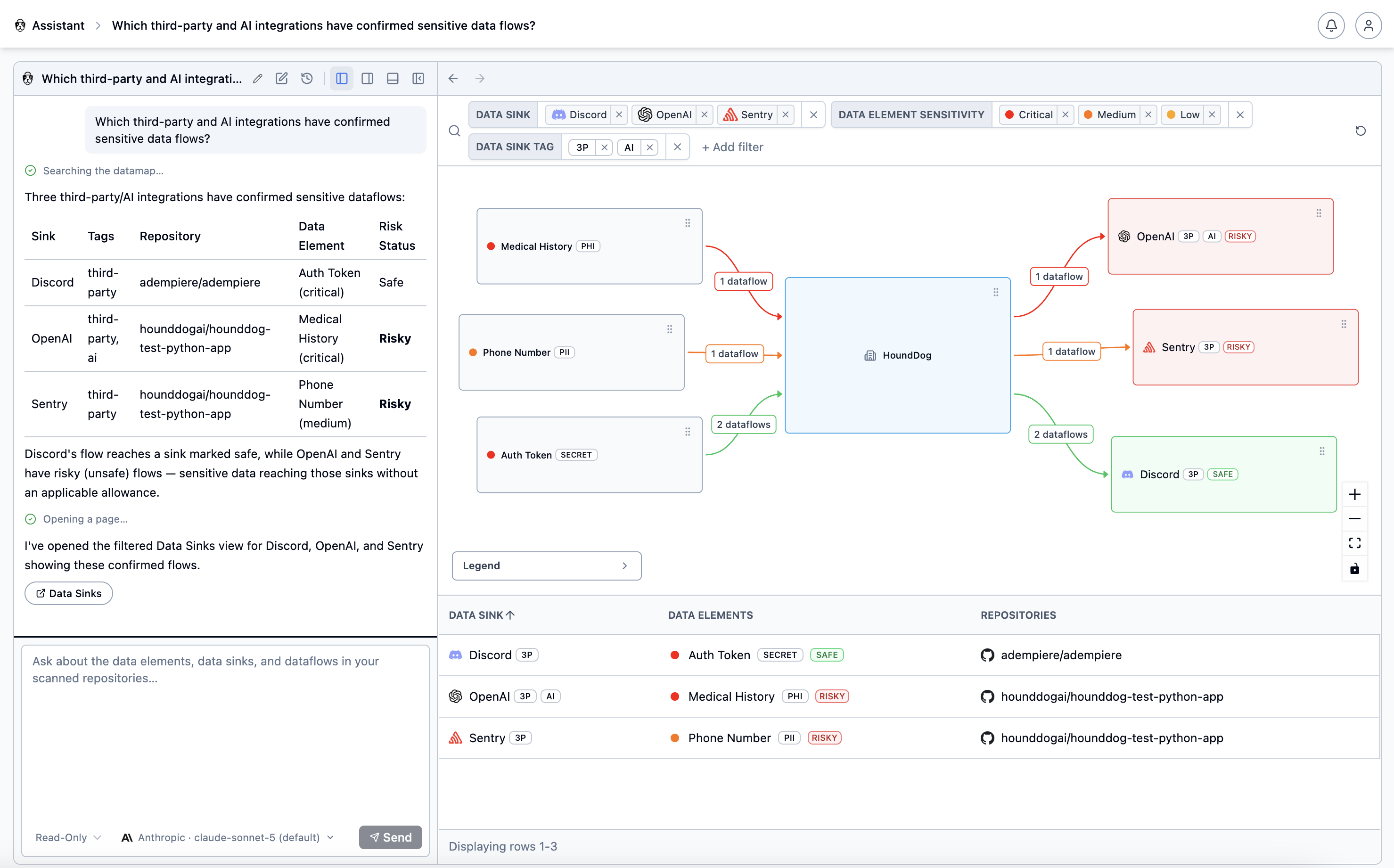
Previous conversations are kept so you can return to them, and the layout buttons at the top of the chat let you resize the conversation and Datamap panes.
- Name the data you care about — a data element such as Auth Token or a sensitivity such as critical — and the destination, such as logs, third parties, or AI integrations.
- Use the opened Datamap view to verify an answer, and triage the underlying findings on the Dataflows page.
- The Assistant can only answer from scanned repositories. If a repository is missing from the results, make sure it has completed an authenticated scan and appears under Repositories.